
Mobile Credentials: What They Are, How They Work, and What to Consider
Mobile credential readers have become a standard in enterprise access control. Allowing employees to use their smartphones in place of physical badges has driven widespread adoption of mobile credentials. At Telaeris, we work with organizations across industries to deploy handheld readers that support mobile credentials alongside existing badge infrastructure.
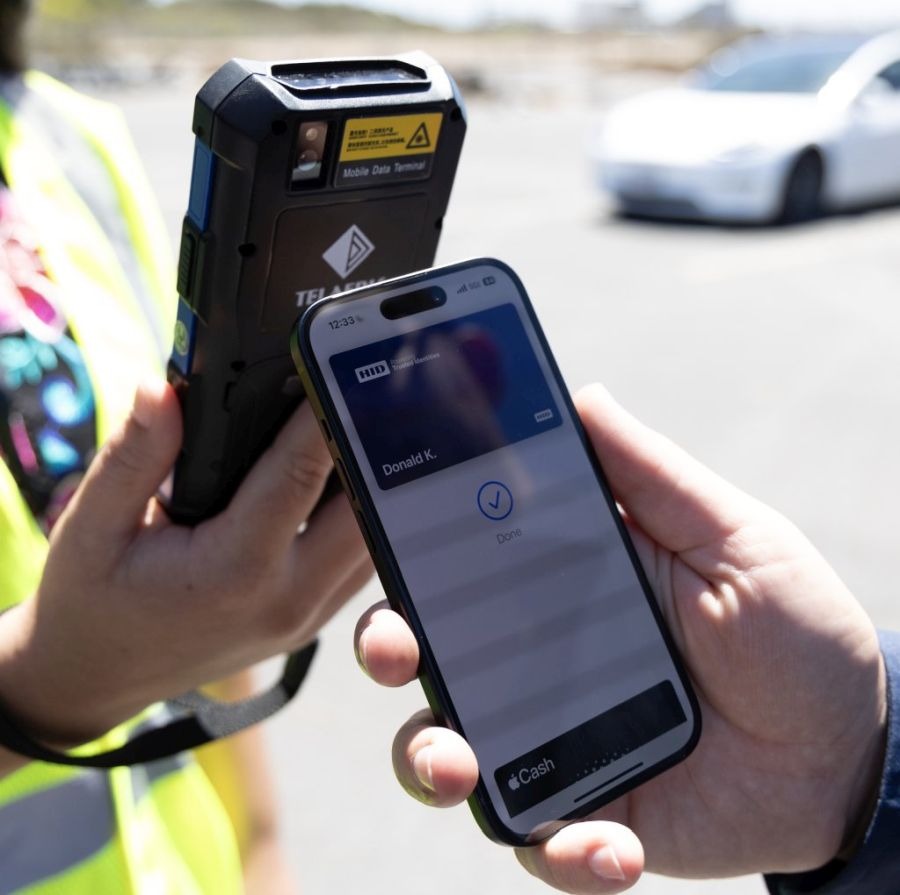
As we work with our clients, it has become clear that there are some misconceptions about mobile credentials. This article is a brief primer on the subject, including what they are used for, how they work, and considerations for deployment.
Use Cases
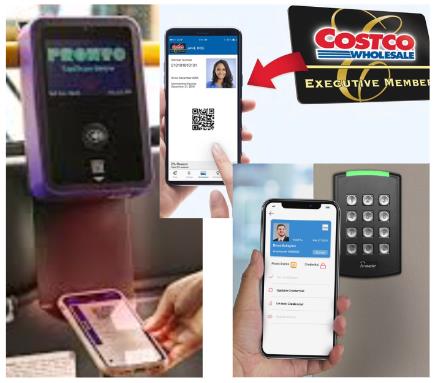
Mobile credentials are simply digital versions of electronic ID documents stored on a smartphone. These digital credentials are used to replace:
-
- Employee access control badges
- Public transportation cards
- State or national identification cards
- Health insurance cards
- Club or credit cards
- Event tickets
- and more…
Mobile Credential Technologies: NFC, BLE, and QR
Because cell phones are so ubiquitous in people’s lives, the ability to use one to store digital versions of cards or key fobs provides incredible convenience. These mobile credentials can generally be presented in one of three ways:
- Barcodes or QR codes, displayed on the phone screen
- NFC – a close-range RFID standard, compatible with ISO 14443 and ISO 15693 badges operating at 13.56 MHz
- BLE – a longer-range 2.4 GHz RFID interface primarily used for connecting devices
People access these mobile credentials from one of two places stored on a smartphone:
- An application from the credential’s provider, such as Costco’s membership app or the San Diego Pronto bus/trolley payment app.
- Apple, Google, or Samsung Phone Wallet applications which securely store a collection of credentials, including credit cards and access control badges. Often, users must download the provider’s application to add the credential to the digital wallet.
Typically, a company will sign up for mobile access control credentials with the credential issuer: companies like HID, Farpointe, AMAG, or LenelS2, to name a few. Keep in mind, however, that mobile access control credentials lack interoperability; those issued by one provider may not function with wall readers from a different manufacturer.
Why Universities Are Driving Mobile Credential Adoption
The next generation of workers entering the workforce is already comfortable with using their phones for payments, logins, unlocking doors, and more, thanks to universities’ shift to using mobile credentials. Many campuses are taking this “mobile-first” approach, making mobile credentials the default. For example:
- Austin Peay issues all new students a mobile credential but still offers a physical card to anyone without a compatible smartphone.
- Penn State’s “Mobile-First” initiative gives students one credential — either the physical card or the mobile ID — rather than eliminating physical cards entirely.
The capabilities of mobile university credentials include:
-
- Class registration
- Schedules
- Meal points
- Event entry
- Access control
Companies issuing mobile credentials often give steep discounts to universities, knowing that they are essentially priming the market for future adoption in the corporate world. Of course, with 100 to 20,000 new student credentials guaranteed every year, recurring revenue is guaranteed.
Pluses and Minuses of Mobile Credentials

Credential-issuing providers will tell prospective customers that mobile credentials are better: more convenient, more secure, more economical, more scalable, environmentally sustainable, and offer “future-proof” technology. But like any new technology, there are always pros, cons, and unintended consequences. An excellent example of this is the lesson learned by cities that deployed new energy-efficient LED street lights, only to find that when a storm filled the streetlights with snow, the LEDs didn’t generate enough heat to melt it, causing massive traffic jams.
Hopefully, the list below will advise companies on what to watch out for to save money and reduce potential headaches.
Pros
Some of the significant benefits of mobile credentials include:
- Reduce the production, distribution, and disposal of physical cards, contributing to a “badgeless” infrastructure
- Web interface to issue new badges, providing ease of management
- “Future-proof” technology with security enhancements
- People are much less likely to forget their phone than their badge, minimizing risks of reissuance and lock-outs
- Physical badge technologies are more easily cloned – deteriorating security and forcing costly replacements
- Perceived higher security
- Convenience, convenience, convenience
Beyond Security: Mobile Credentials Support Enhanced Accountability
Mobile credentials can also make emergency mustering more convenient, as we’ve seen with deployments of our XPressEntry solution. In case of an actual emergency, employees are much more likely to grab their phones than their badges. Similarly, for other scenarios such as offsite events or trainings, people are much more likely to have their phone, not thinking they might need an employee ID for access.
Cons
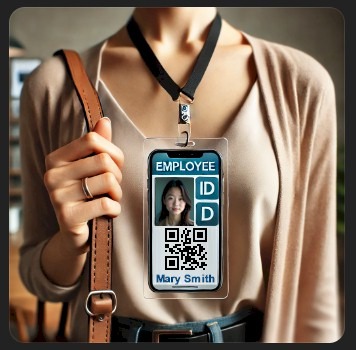
However, there are still many potential red flags and considerations to be aware of before making the transition to mobile credentials:
- Mobile credentials may lock customers to use one provider for door readers; if you need to switch vendors down the road, this can incur high migration costs
- Conversely, new mobile credential-enabled readers might not support existing badges, requiring two readers at a door or extra splitter hardware
- Digital wallets won’t function on a phone with a dead battery (True for Android phones, but Apple has a failsafe for this)
- Badge admin is not completely eliminated; whenever a phone is lost and replaced, the mobile credential must be reissued
- Organizations that require employees to display visual identification will still need their existing badge infrastructure
And, of course, there are several cost concerns:
-
- “Virtual” credentials can cost as much or more than physical credentials
- Recurring (annual) charges for mobile credentials or issuing portals
- Upgrade costs for physical wall readers to support the new credentials
Case Study: HID Global Mobile Credential Migration
HID Global is the industry leader in access control. They have multiple ways to store and present their PACS credential, such as:
-
- Apple Wallet
- Google Wallet
- HID’s mobile App available for both iOS and Android
As one of the worldwide leaders in badges and mobile credentials, HID has a very mature infrastructure. They provide portals that allow companies to create mobile credentials for their employee/contractor/student populations. Very importantly, the workplace security office now issues unique digital badges via email. These are subsequently downloaded and securely stored on users’ devices, eliminating many cardholder trips to the badging office.
HID’s latest line of wall-mounted access control devices, the HID Signo™ Readers, can read LF, HF, NFC, and BLE technologies. They have several patents for their technologies, including a Twist and Go approach to opening doors using Bluetooth. Employee phones with the HID app are all employees need to gain access to the facility, which is incredibly convenient!
One of HID’s customers encountered an unintended consequence when they migrated to mobile credentials. They discovered that the new Signo readers could not decode their large population of CasiRusco badges. Fortunately, we were able to solve their problem by deploying some insightful and clever engineering.
Additionally, this customer was able to use Telaeris’ XPID210 Handheld Badge Verifier to read their mobile credentials and their existing Casi badges for both emergency mustering and employee identification. It is important to note that this device is uniquely certified by both HID and Apple as compliant with all of HID’s credentials, including Prox, iClass, SEOS, and HID’s Mobile Credentials.
Ready to Add Mobile Credential Reading to Your Facility?
We hope this digression into the new world of mobile credentials has provided you with insight and guidance. If you have any questions or would like to discuss how we can help you deploy handheld solutions working with your mobile credentials from any provider, don’t hesitate to contact us at [email protected].
This post was originally published in October 2024 and has been updated for clarity and correctness. Last Updated: April 2026