
XPressEntry Live Streaming
LIVE VIDEO FROM THE FIELD TO THE SOC
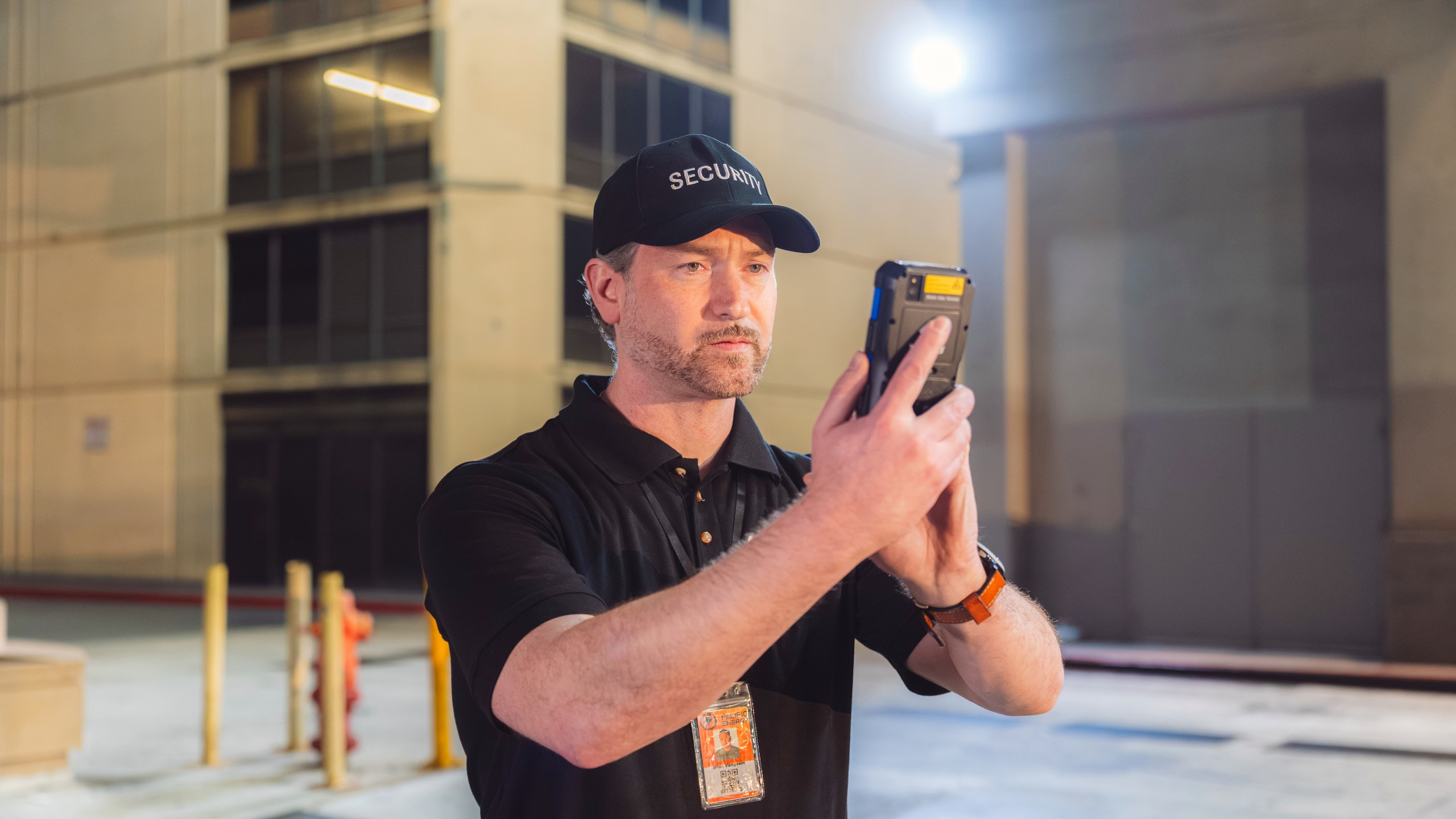
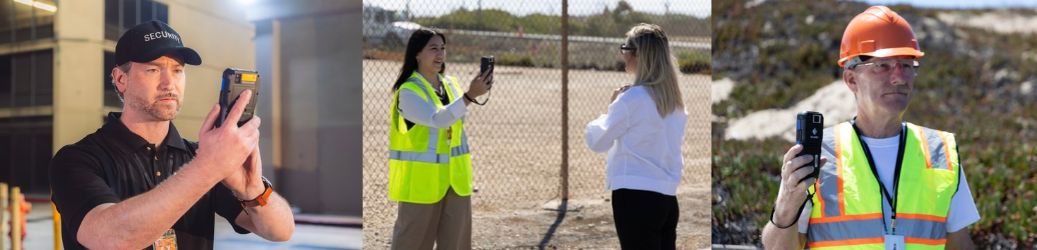
XPressEntry Live Streaming gives security teams a live view of situations beyond the reach of fixed cameras. Guards stream video and audio from the XPressEntry handhelds they already use for badge verification and guard tours, so operators in the security operations center (SOC) can see the scene and talk to the guard through the XPressEntry Web Console. Streams travel over Wi-Fi or cellular, and optional recording and searchable transcripts support incident review.
- REAL-TIME VISIBILITY FROM THE FIELD – Guards stream live video from the XPressEntry handhelds they already carry to show what fixed cameras miss.
- CONNECTED SECURITY OPERATIONS – SOC operators and supervisors watch several live streams in the XPressEntry Web Console and can focus in on any one of them.
- DIRECT COMMUNICATION WITH GUARDS – Operators talk to the guard during a live stream, giving directions and coordinating the response as they watch the scene.
- RECORDINGS AND SEARCHABLE TRANSCRIPTS – When recording is on, streams are saved for incident review, and operators replay recordings and search transcripts.
- AUTOMATIC GUARD TOUR INCIDENTS – A stream started during a guard tour files an incident automatically, with the recording linked when recording is turned on.
- FLEXIBLE, ENCRYPTED DEPLOYMENT – Video travels over Wi-Fi or cellular to a Media Server run on-premises or in the customer’s own cloud, encrypted in transit.
Live Streaming is part of XPressEntry, alongside mobile badge validation, emergency mustering, guard tours and Push to Talk. Live video, recordings and incidents are managed in the same system and Web Console the security office uses every day.
Extend Visibility Beyond Fixed Cameras
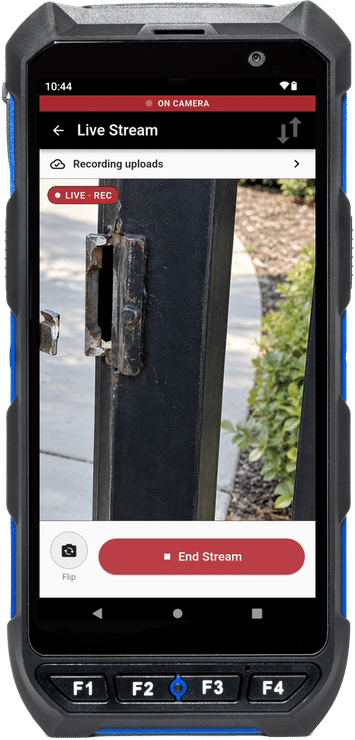
When a guard needs the SOC to see something, a tap on Go Live starts the stream over Wi-Fi or cellular. Guards can show SOC operators suspicious activity, damaged equipment or a crowd at a gate instead of trying to describe it over the radio. Fixed cameras cover the places they were installed to watch. Live Streaming extends visibility beyond them, wherever a connected guard can provide a view. Guards control when streaming starts and stops. Operators cannot start or aim a handheld camera remotely, which keeps control of the camera with the person holding it.
See and Respond From the Security Office
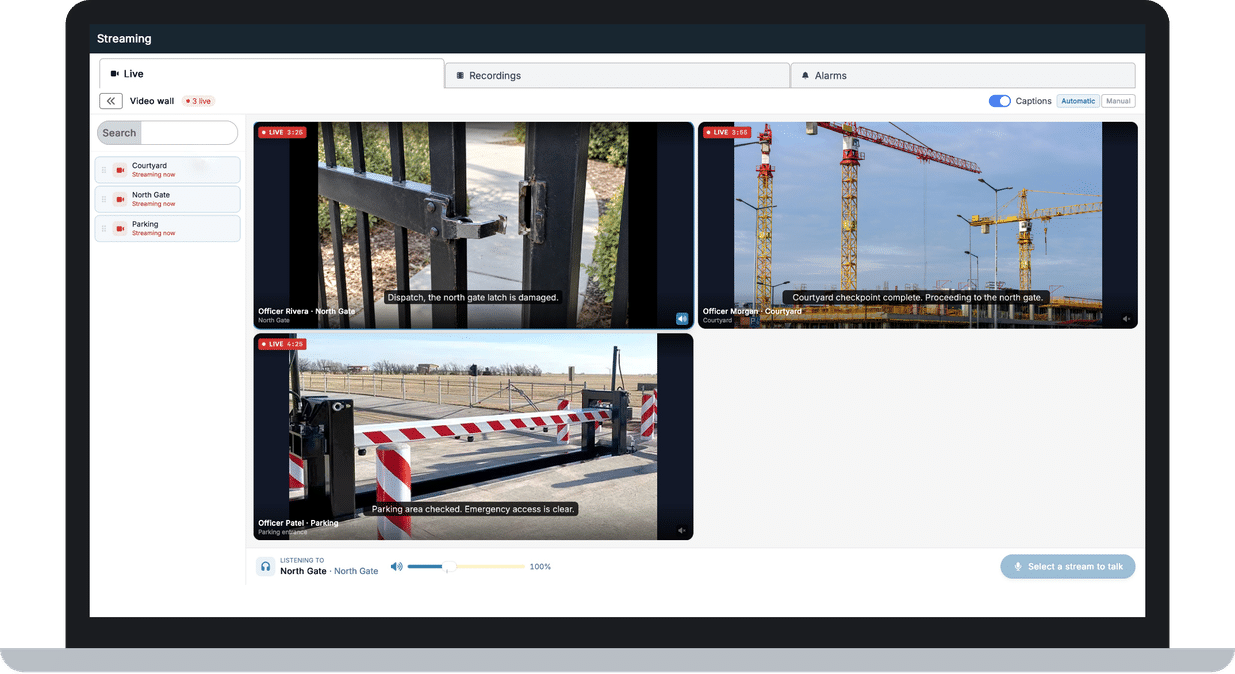
Operators in the SOC or a global security operations center (GSOC) watch live streams on a live wall in the XPressEntry Web Console. An operator can focus on one stream to see it larger, and several operators can watch the same stream at once. In Auto mode, a handheld appears on the wall as soon as it starts streaming. In Manual mode, operators pin the handhelds they want to keep on the wall.
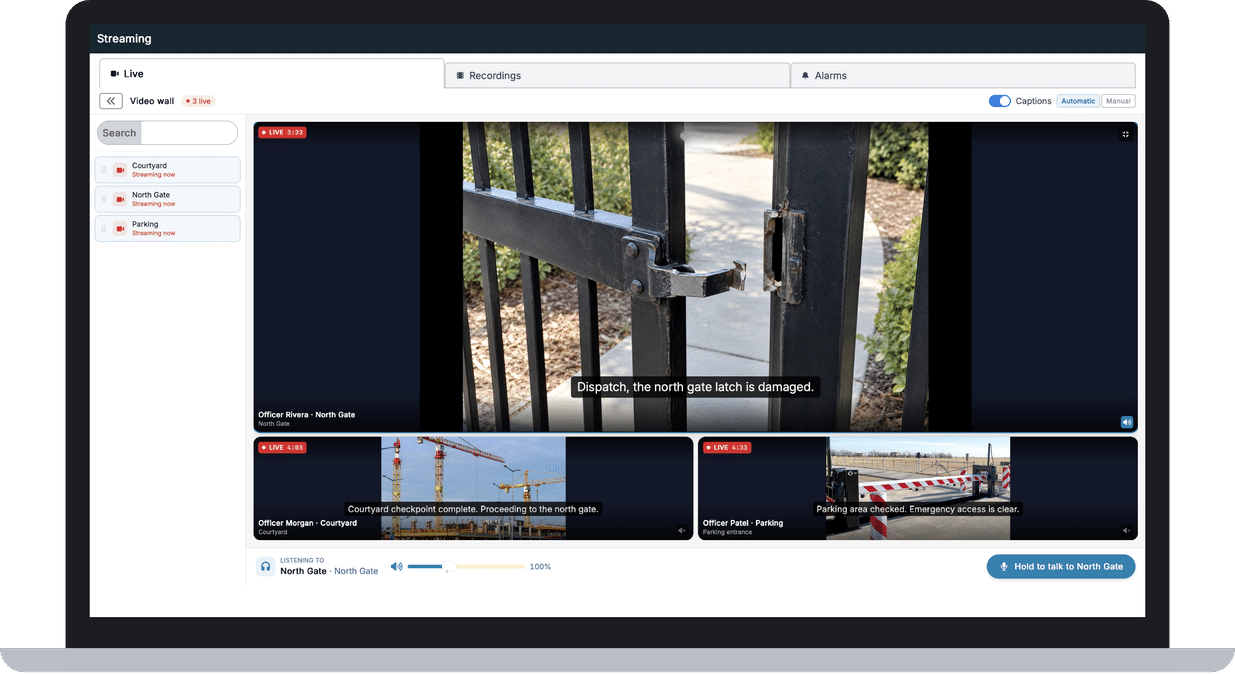
Operators can speak directly to a guard while viewing the live stream, one operator at a time. The guard hears directions while the security office sees the scene, which helps the team coordinate the response without a separate phone call. Supervisors with Web Console access can open the same live wall in a browser from outside the SOC.
Recordings and Searchable Transcripts
Live streams are recorded on the XPressEntry Media Server, with server recording on by default and set per reader profile. A local recording on the handheld helps preserve footage during network interruptions by filling gaps in the server recording. Authorized users find, play back and download recordings as MP4 files in the Web Console. Access follows each user’s permissions and site visibility, and each site sets how long recordings are kept. Optional captions show speech as text. English is standard, and the XPressEntry Media Server GPU Runtime adds other languages. Saved transcripts can be searched by keyword, jumping to the moment a word was spoken. When captions are on, spoken-phrase alerts log an alarm in the Web Console if a configured phrase is heard.
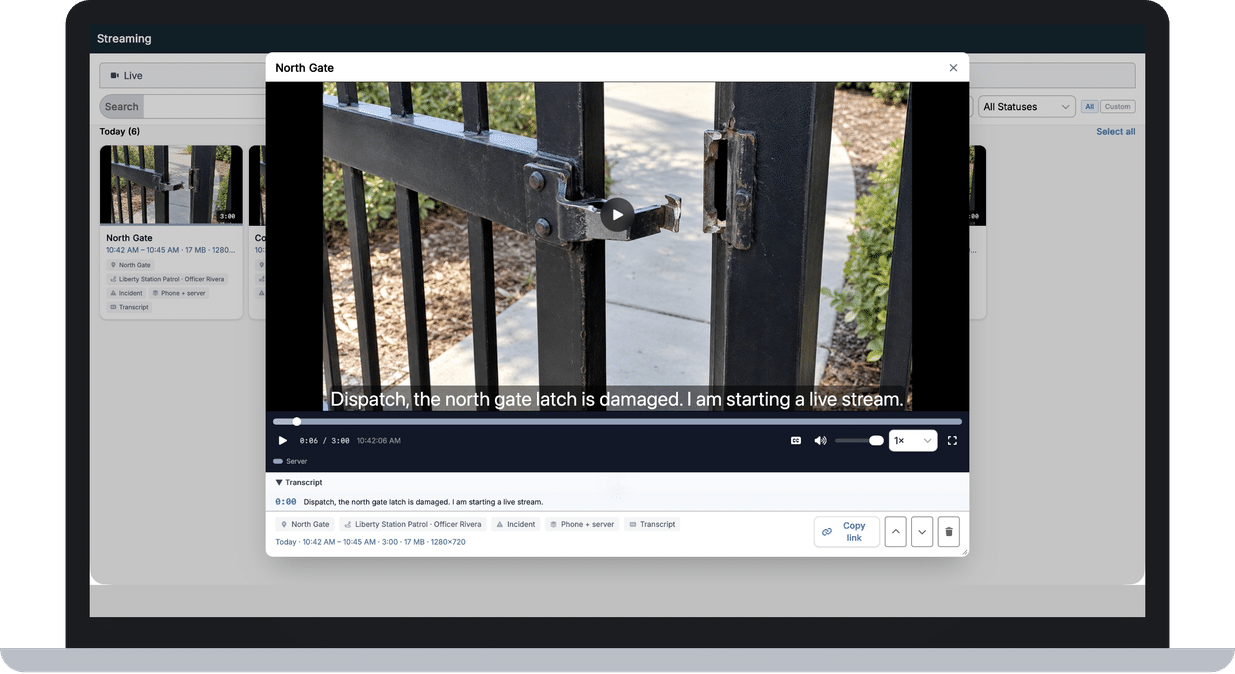
Automatic Guard Tour Incidents
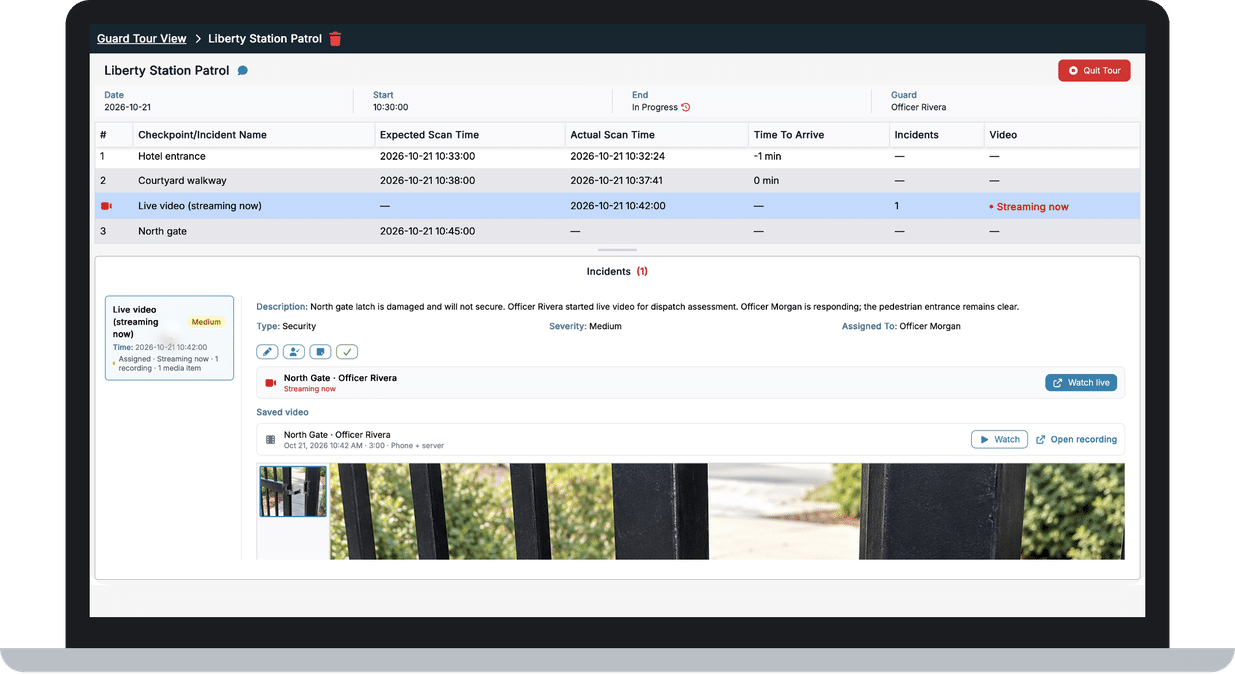
When a guard goes live during a guard tour, XPressEntry files an incident automatically. The incident identifies the handheld, the guard and the tour, and the recording is linked when recording is on. Supervisors reviewing a tour can see what happened instead of relying on a written description alone. The guard tour Comms tab gives guards access to Live Streaming and Push to Talk on one screen.
Flexible and Secure Deployment
The XPressEntry Media Server runs on-premises or in the customer’s own cloud. Video is encrypted in transit between each handheld and the server, over Wi-Fi or cellular. Live Streaming works with compatible XPressEntry handheld readers and tablets.
How It Works
- Enable Administrators enable live video for each handheld’s reader profile in XPressEntry.
- Go Live A guard taps Go Live on the scan screen or the guard tour Comms tab.
- Stream The handheld streams video and audio to the XPressEntry Media Server over Wi-Fi or cellular.
- Watch The stream appears on the live wall in the Web Console, where SOC operators watch and focus on it.
- Talk back An operator holds to talk back, and the guard hears the operator through the handheld. One operator at a time can talk back.
- Share Supervisors with Web Console access can watch the same stream from a browser.
- Record If recording is on for that reader profile, the Media Server records the stream, and a local recording on the handheld helps fill gaps during network interruptions.
- Document If the stream started during a guard tour, XPressEntry files an incident, with the recording linked when recording is on.
- Review The guard taps End. When recording is on, the recording appears in the Web Console for playback and download.
Live Streaming Features
- Live video and audio on XPressEntry handheld readers and tablets
- Go Live from the scan screen or the guard tour Comms tab
- Supervisors watch the same streams in a browser
- Only the guard can start a stream
- Live wall in the Web Console with a focus view
- Auto and Manual live wall modes in the Web Console
- SOC and GSOC operators talk back to the guard
- Several operators can watch the same stream
- Server recording on by default, set per reader profile
- On-device recording that helps fill network gaps
- Recordings gallery with playback and MP4 download
- Transcript search that jumps to the moment
- Automatic incidents for streams during guard tours
- Spoken-phrase alerts with an optional pop-up
- Media Server on-premises or in the customer’s cloud
- Works with XPID handhelds, XPIT100 and IDEMIA ID Screen
- Optional captions, in English as standard
- Captions processed on the Media Server
- Video up to 1080p, by device
- Recording retention set in days
- Wi-Fi or cellular connection
- Video encrypted in transit
Requirements
- Handhelds XPID200/201 and XPID210/211 handheld readers; XPIT100 and IDEMIA ID Screen tablets
- Server XPressEntry Server 3.7.7850 or later for on-premises sites, plus the XPressEntry Web Console in a browser
- Media Server XPressEntry Media Server on 64-bit Windows 10 or Windows Server 2016 and newer, on-premises or in the customer’s own cloud. A Telaeris-hosted Media Server is also available for sites whose network allows connections to it.
- Network Wi-Fi or cellular from each handheld to the Media Server. With an on-premises Media Server, cellular and off-site use require Remote Access setup. Telaeris hosting includes it.
- Web Console HTTPS for microphone access during talk-back. Off-site viewing requires the browser to reach both the Web Console and the Media Server.
- Recording The Media Server recorder must be configured. Transcript search requires saved transcripts.
- Guard Tours The guard tour Comms tab requires XPressEntry Guard Tour.
- Captions English is standard. The XPressEntry Media Server GPU Runtime adds other languages; an NVIDIA GPU is strongly recommended for live multilingual captions.
Frequently Asked Questions
Does Live Streaming replace body cameras?
Live Streaming uses the handheld guards already carry for badge verification and guard tours. It gives the security office a live view, talk-back and recordings linked to tours and incidents. Body cameras are worn hands-free and built for different evidence workflows, so sites that need those capabilities should evaluate them separately.
Who starts a live stream?
The guard. A stream starts when the guard taps Go Live and stops when the guard taps End. Operators cannot start or aim a handheld camera remotely.
Who can watch a live stream?
Operators in the security operations center (SOC) watch in the Web Console, and several can watch the same stream at once. Supervisors and other authorized users can watch from a browser, including off-site when the browser can reach both the Web Console and the Media Server. With an on-premises Media Server, Remote Access setup is recommended for reliable off-site viewing. Guards cannot watch other streams on their handhelds at launch. One operator at a time can talk back to the guard.
Can guards keep scanning badges while streaming?
Yes, for RFID badges. Guards can keep scanning RFID badges during a live stream. Barcode scanning pauses while streaming, because the camera and barcode imager cannot work at the same time.
Are live streams recorded?
Server recording is on by default and can be turned off per reader profile. When it is on, streams are saved on the XPressEntry Media Server, and a local recording on the handheld helps fill gaps during network interruptions. Authorized users can play back or download recordings as MP4 files from the Web Console.
Is an incident created if recording is off?
Yes. A stream started during a guard tour files an incident that identifies the handheld, the guard and the tour. Without recording, the incident has no footage to play.
How long are recordings kept?
Each site sets how long recordings are kept, in days. By default, recordings stay until they are deleted.
Can recordings be searched?
Yes. Search works through saved transcripts. Operators search them by keyword and jump to the moment a word was spoken.
Does it work over cellular?
Yes. Live Streaming works over Wi-Fi or cellular. With an on-premises Media Server, cellular and off-site use require Remote Access setup so handhelds can reach it. Telaeris hosting includes it.
Can Telaeris host the Media Server?
Yes. A Telaeris-hosted Media Server is also available, including for sites that run the XPressEntry Server on-premises, as long as the site’s network allows connections to it. Telaeris can confirm the setup.
Are captions available?
Optionally. When captions are on, speech appears as text on the live wall, and saved transcripts appear with recordings. English is included; other languages require the separate XPressEntry Media Server GPU Runtime, and an NVIDIA GPU in the Media Server is strongly recommended. With an on-premises Media Server, the customer provides the GPU, and Telaeris hosting offers it as an option. Captions are processed on the XPressEntry Media Server, without a third-party transcription service.
Is it secure?
Signaling uses TLS and video uses DTLS-SRTP, so streams are encrypted in transit between each device and the Media Server. Handhelds also verify the server’s certificate.
Can Live Streaming and Push to Talk be used at the same time?
Not at the same time. Both can be enabled on the same handheld, and the guard tour Comms tab shows both on one screen. The microphone serves one feature at a time, so a guard ends the live stream before talking on Push to Talk, or releases Push to Talk before starting video.
Which devices are supported?
XPID200/201 and XPID210/211 handheld readers, the XPIT100 tablet and the IDEMIA ID Screen tablet.
Trusted Worldwide
Physical security and safety professionals in 50+ countries trust XPressEntry. See how Live Streaming gives the security office a live view from the handhelds guards already carry.
XPressEntry Standalone
No access control system?
No Problem.
Not every site has an access control system, or needs one yet. XPressEntry Standalone runs on its own, whether a site is under construction and will integrate once it’s operational, is a temporary operation or simply doesn’t need access control.