
Backing up your database
Overview: This article is intended to help with backing up XPressEntry before you decide to perform any updates in the event something goes wrong and as a good safety practice at all times.
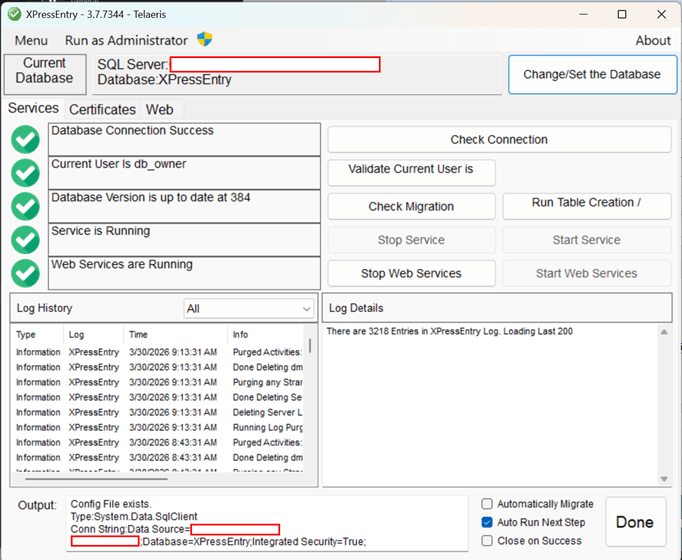
1) Open up SQL Server Management Stsudio (SSMS) of where ever the XPressEntry database is located. In the event that you do not know where the database is, you can check XPressEntryConfigTool (aka XPressEntryDatabaseTool) to determine the connection string. The red outlines are where you will find your information.
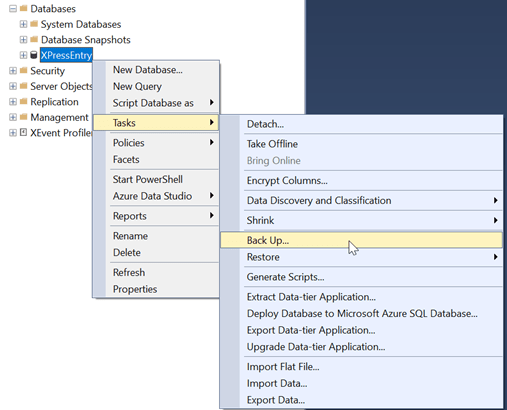
2) Once you are able to locate the database, right click on your database on SSMS and click Tasks > Back Up…
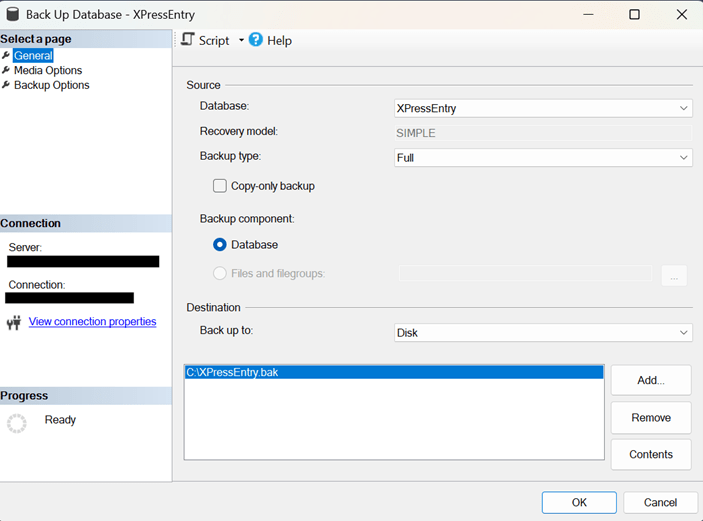
3) Choose where to back up your database and click OK.
4) If successful, you should see this message:



